 The Hosting Lexicon
What is a staging site?
The short version
- A staging site is a practice copy of a website. It is used to test changes before visitors see them.
- The live site, also called production, is the one visitors use.
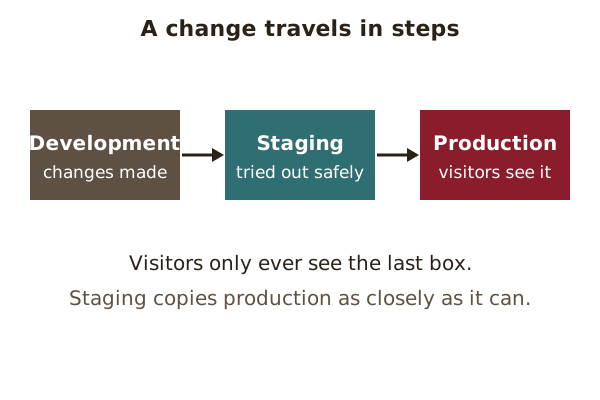
- A change often goes from development to staging to production.
Environments
An environment is a place where a site's software runs. Bigger projects use more than one.
The place where changes are first made is the development environment. The place visitors use is the production environment. In larger projects the two are kept apart, often with several stages in between.[1]
Staging
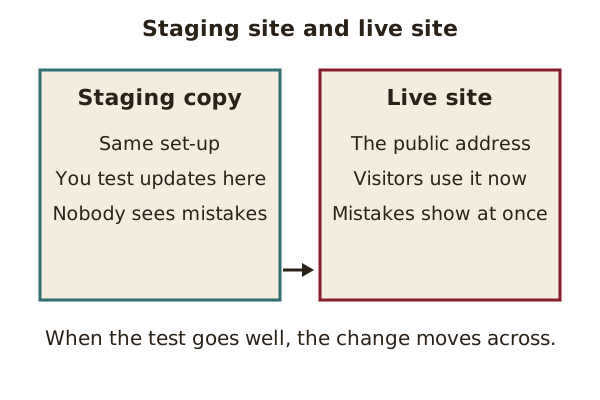
A staging environment is a place for testing that closely copies the production environment.[1]
Think of a dress rehearsal. The cast wears the costumes and uses the real stage, but no audience has come yet.
Testing comes first
Before staging, a change often goes to a test environment. Its purpose is to let human testers try new and changed code, using automatic checks or by hand.[1]
Staging is the last rehearsal after that. If the change passes there, it can be applied to the live site with more confidence. If it fails, the live site is untouched, and the problem can be fixed in private.
Small sites often skip these steps and change the live site directly. That is quicker, but any mistake shows to visitors straight away.
How close a copy is it?
Staging aims to mirror the real production set-up as closely as it can.[1] It may even connect to some production services, such as databases.[1]
That is why a mistake there can still matter. A staging copy is safe for visitors, but it is not always cut off from everything real. Check how a given set-up is built before you trust it.
What staging is for
Staging is mainly used to try out set-up and moving steps before they are applied to the live site.[1] That includes updates and changes to settings.
Some organisations also use staging to preview new features for chosen customers.[1]
Why hosting plans mention it
Some hosting plans advertise a staging feature. Each host words its feature differently, so the plan's own description is the place to check what it does.
Origin: the live environment is also called "production".[1]
See also: Managed hosting · Snapshot · Migration.
Sources
- Deployment environment, Wikipedia (accessed 2026-10-28)